
Digital asset
Environmental Control — FiveM Weather & Time System
Control the world.
Keep the roleplay moving.
REDACTOR Easy Time turns server time, weather states and environment data into one focused control surface. Set the clock, choose the weather source, trigger atmospheric presets and monitor the conditions that shape every scene on your FiveM server.
Atmosphere should follow the story —
not interrupt it.
Scheduled events, patrol shifts, emergency scenes and seasonal roleplay all depend on the world around the players. Easy Time centralizes those controls so staff can shape the moment from one clear interface instead of jumping between scattered commands and menus.
Four control layers.
One clean workflow.
The interface separates direct controls, real-weather data and the active game profile into focused modules, keeping the important information readable during live administration.
Set the exact moment.
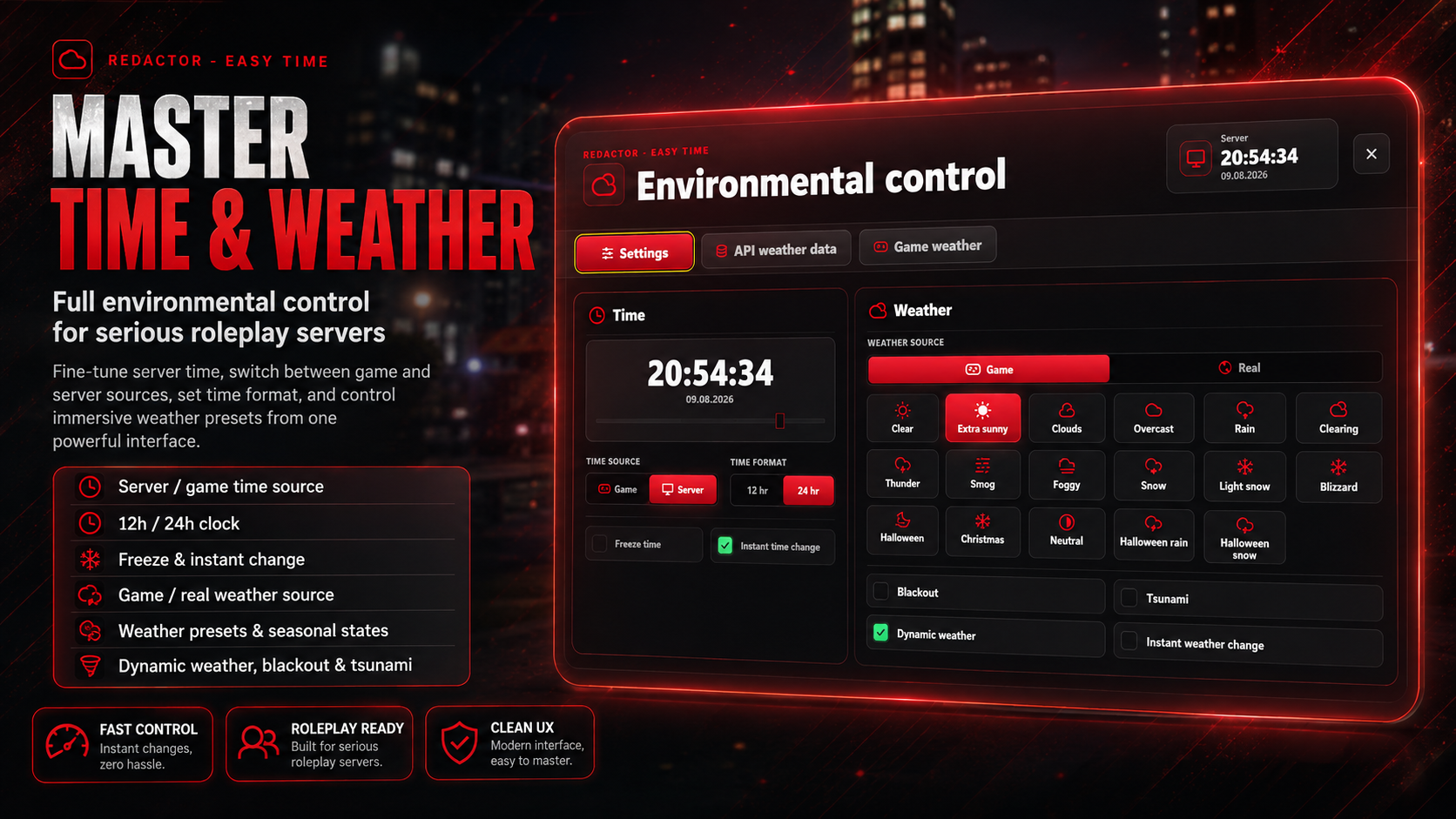
Switch between game and server time sources, use either a 12-hour or 24-hour clock, freeze the current time or apply an instant change when a scene needs a precise start.
Shape the entire scene.
Choose the game profile or real-weather source, select from the built-in weather states, enable dynamic progression or trigger an instant transition for events and emergency roleplay.
See more than a preset.
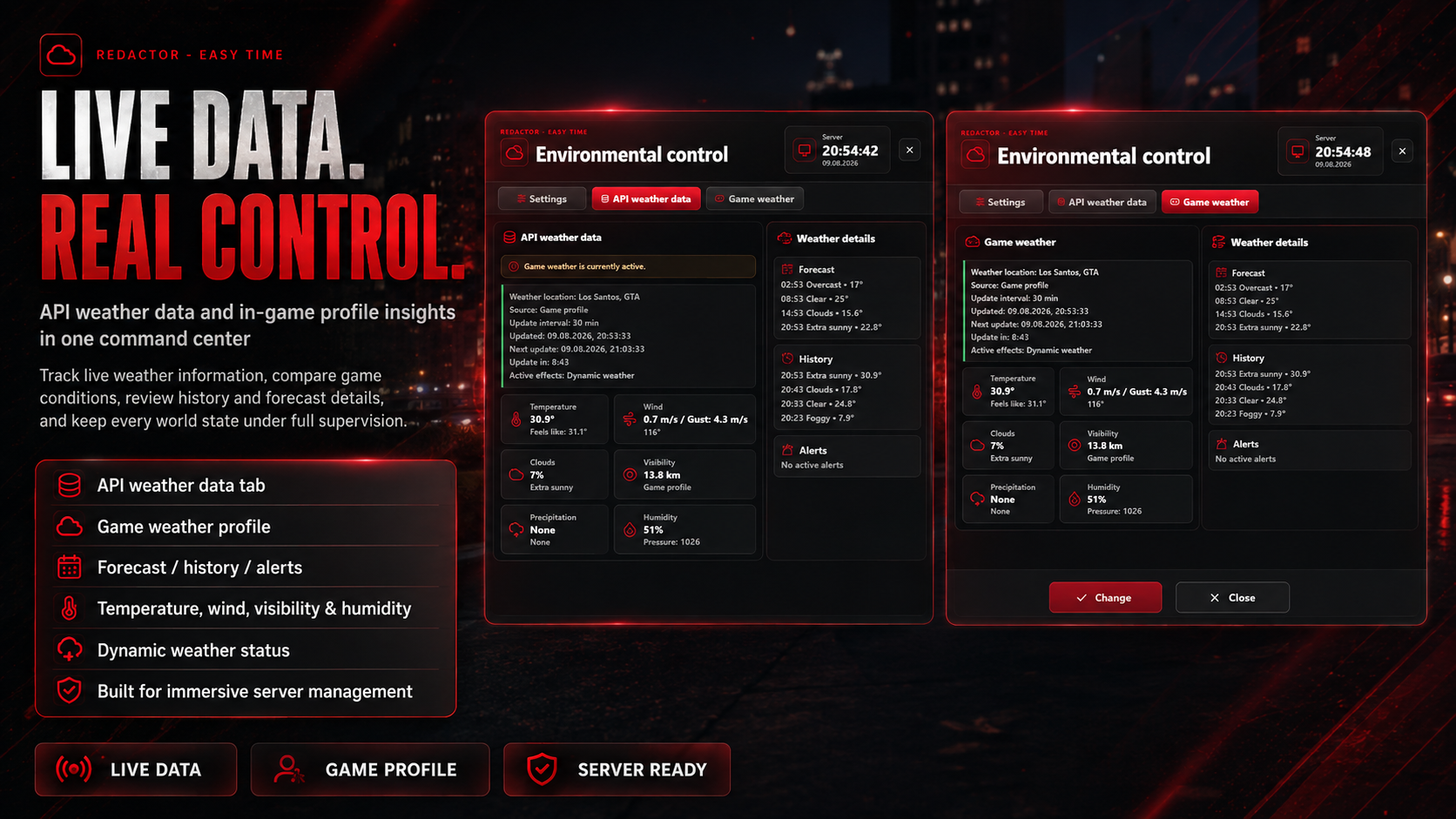
Review temperature, wind, cloud coverage, visibility, precipitation and humidity in one status view, together with source, location and refresh information.
Know what comes next.
Keep forecast entries, recent weather history and active alerts visible beside the current profile, giving staff context before they apply the next world change.
From clear skies
to full scenario control.
The selectable states visible in Easy Time cover everyday conditions, severe weather and seasonal scenes without forcing staff to remember internal weather names.
WIND speed / gust / direction
SKY cloud coverage / active condition
VIEW visibility distance
WATER precipitation status
AIR humidity / pressure context
[02] Choose the exact clock or weather state
[03] Review the active data and forecast context
[04] Apply the change to the server environment
More than an admin utility —
a scene-building system.
Daylight, fog and visibility can completely change routine traffic stops, public interactions and night patrols.
Rain, storms, blackout conditions and disaster toggles create a stronger foundation for coordinated emergency RP.
Lock or instantly move the clock for openings, ceremonies, races, meetings and any event that needs consistent timing.
Christmas, Halloween and multiple snow states make seasonal server updates easier to present and manage.
Review the time source, 12/24-hour clock, weather presets, real-weather data, game profile, forecast, history and event controls in the product showcase.